

Are you moving because your life outgrew your current four walls, or because your work deserves a space that actually works, and do you want that setup to run smoothly from day one rather than steal weeks of your attention?
What makes the difference is the sequence you hold under pressure, it’s the way you design the pipeline (search → transaction → move → activation → workspace → personalization) so emotional admin, the quiet stack of decisions, handoffs, and follow-ups, never piles up faster than you clear it, and it’s the planning that ensures each step sheds friction before it hardens into delay.
A) Finding the Right Place (function before form)
You begin by deciding the job your next home must do, because it’s the function that drives the form, not the other way around, and you treat this like systems design: inputs such as commute windows and daylight, constraints such as budget and bylaws, outputs such as quiet calls and disciplined storage.
Translate that into non-negotiables you can test in ten minutes on site, a door that closes, power where you sit, a camera background you control, airflow that does not fatigue you by noon. It’s the filter you build, not the number of tours, that protects your calendar.
That said, still widen the intake early so you see signal across neighborhoods and property types, scan multiple sources, compare plans against the way you actually work, and include a pass through resources such as PropertyMesh.ca as one reference point while you shape the short list (treat every listing as a hypothesis you will verify in real conditions).
Stand where your desk will sit, run a quick noise check at your meeting hour, trace cable paths with your eyes, and perform a pre-mortem, asking, if I sign here, what fails first, and how would I mitigate it. What makes the difference is the clarity to walk away when the layout fights the life you intend to live.
B) Managing the Process (offers, conditions, and communications that keep momentum)
Once a target is in range, you shift from exploration to execution, and you reduce latency across the deal, it’s the single source of truth that keeps everyone in step: a dated checklist with owners, a clean set of conditions you will include or exclude, a document vault your lawyer can audit without a scavenger hunt.
Many real estate teams centralize tasks, notes, and milestones in a transaction CRM, something like WiseAgent.com, so updates flow in one queue rather than scattered threads (you are not adding bells and whistles, you are insisting on visibility you can act on).
That said, still ask for plain-English stoplight summaries at each gate, funds, conditions, closing, what waits on you, what waits on counterparties, what could stall and when, it’s the cadence that prevents small gaps from becoming missed windows. Emotional admin shrinks when every handoff has an owner and a date, and what makes the difference is the discipline to keep decisions in writing so the deal never relies on memory.
C) Planning the Move (sequence like a rollout)
Treat the move as a phased deployment, not a single day of chaos, you lock dates, you lock scope, and you sequence critical paths so the essentials come online fast.
Build three open-first kits, Sleep, Hygiene, Work, and label by action, not just room: Office, plug in; Office, archive; Office, shred; it’s the action labeling that cuts search time in half when you are tired. Create a disposal lane now, donation, e-waste, shred, so dead gear does not become permanent floor decor.
That said, still book a buffer day before your first hard meeting, the slack prevents small snags from cascading. Emotional admin recedes when boxes have destinations and destinations have times, and what makes the difference is a one-page move plan you can hand to movers or friends without additional explanation.
D) Getting Functional Quickly (power, data, surfaces, and food within 48 hours)
The first forty-eight hours decide whether the house works for you, or whether you work around the house, so you follow order of operations: Power → Internet → Surfaces → Sleep → Food. Map outlets and breakers, place the router where signal reaches both desk and living core (center mass beats window corner), run a quick speed and jitter test at your meeting spot, and stage three zones: Open Now, Open This Week, Park Until Weekend, keeping them physically apart to prevent state leakage.
That said, still claim visible wins, one made bed, one clear counter, one working lamp, tangible progress reduces cognitive load, and emotional admin fades when the basics snap into place. What makes the difference is the friction you remove before it slows you down.
E) Workspace Essentials (a station that earns its footprint)
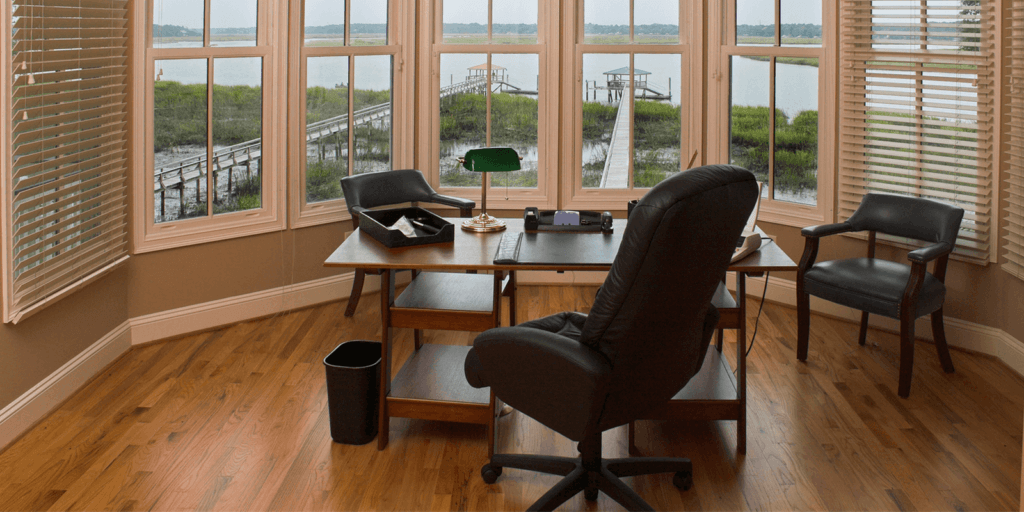
Design your station like a lab bench, everything you use within reach, everything else out of sight, nothing that rattles the experiment. Start with geometry and physics, desk depth for eye distance, a chair that stabilizes hips and frees shoulders, a monitor height that keeps your neck neutral, then control the three big signals, light, sound, airflow, because it’s the environment that shapes attention (side-lit camera placement for clarity, a simple door sweep for acoustic control, steady air to reduce fatigue across long blocks). Cable discipline is risk management, not decor, a single inadvertent tug during a call is a failure you can remove at setup.
Standardize replenishment so your future self does not burn cycles on trivial resupply, source paper, labels, and ink through providers such as Quill.com to keep formats consistent and reorders simple, and log replacements on a small card in your top drawer so you never guess mid-week.
That said, still start lean and add only when a bottleneck proves itself twice, it’s the constraint that keeps the bench clean. Emotional admin stays contained when your station runs like a closed loop with clear inputs and predictable outputs.
F) Personalizing the Home (habits over clutter)
Personalization is not about filling surfaces, it is about teaching the space how you live. Build routines that answer common questions before you ask them, a landing pad that catches keys and mail, a charge bar that empties pockets at night, a Sunday reset that returns the system to baseline (think periodic maintenance, not heroic cleanup).
Curate a small set of artifacts that support focus or recovery, one plant, one print, one throw, and place them where your eyes actually rest between tasks so the environment feeds energy rather than siphoning it.
That said, still leave negative space, blank wall and clear floor are active components that keep attention from scattering. Emotional admin evaporates when where does this go, when do I do that, and what is the next small action all have unambiguous answers. What makes the difference is the feedback loop you close weekly so the home keeps pace with the work and the people it supports.
The A-to-Z Playbook (risk-averse by design)
- Assess. Define what the home must do for you, quiet calls, safe storage, real daylight.
- Acquire. Select with a pre-mortem mindset, verify in real conditions.
- Agree. Structure the transaction so updates live in one auditable queue.
- Arrange. Pack by action with three open-first kits and a disposal lane.
- Activate. Power, internet, surfaces, sleep, food, then claim visible wins.
- Adapt. Build a lab-bench workspace, control light, sound, air, standardize resupply.
- Align. Personalize with habits and artifacts that reinforce how you live and work.
What makes the difference is not perfection, it is the steady sequence that keeps energy moving in your direction, and that said, still expect a few surprises, because it’s the ownership you bring to each step, not the absence of obstacles, that ensures your move, your setup, and your work, travel one clean path from A to Z.


- Why Growing Workshops Need to Treat Abrasives as a Business Decision, Not a Consumables Line ItemA lot of Australian workshops still buy abrasives the same way they buy tea bags, gloves or bin liners. Someone spots a deal, a carton lands, the team uses it until it runs out, then the cycle repeats. That works for a while. It usually... The post Why Growing Workshops Need to Treat Abrasives as […]